
How to Pay with REOWN Pay: Step-by-Step Guide

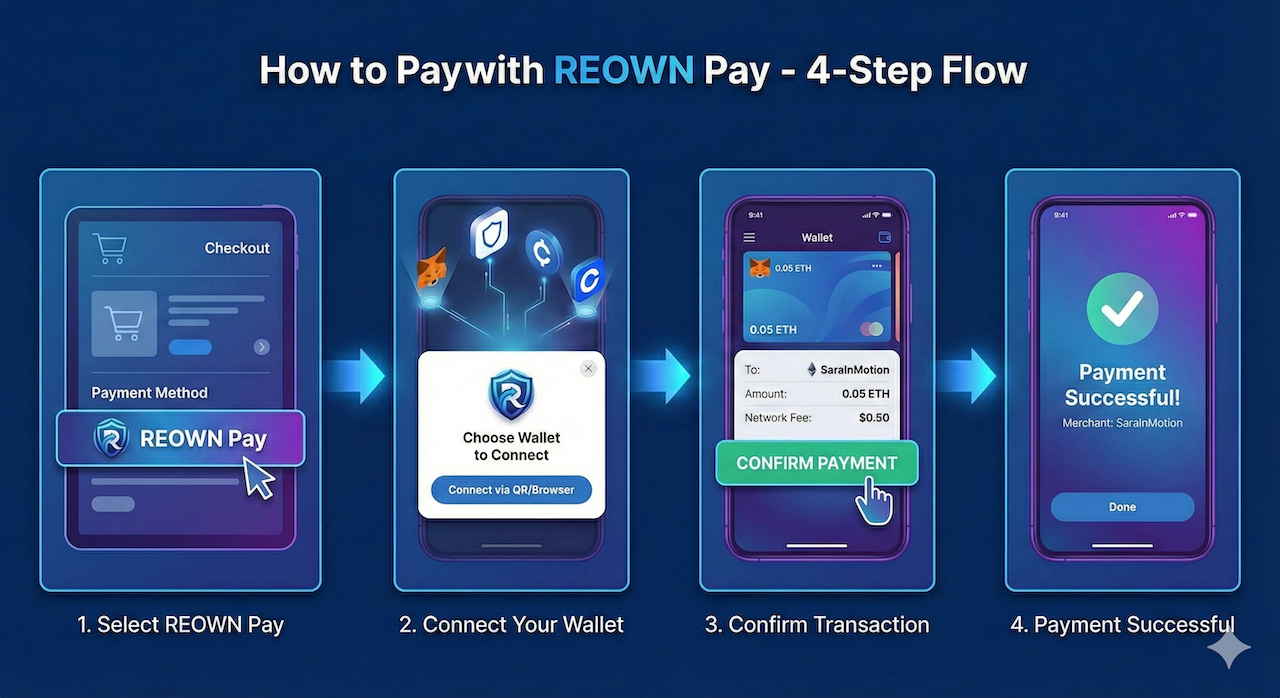
Complete guide to paying with REOWN Pay on SaraInMotion. Learn how to connect 300+ wallets and complete your payment in under 30 seconds.
Paying with REOWN Pay takes less than 30 seconds. Here's exactly how it works.
Before You Start
Make sure you have:
✅ A crypto wallet (MetaMask, Trust Wallet, Ledger, etc.) ✅ USDT (Tether) on Binance Smart Chain (BSC) ✅ A small amount of BNB for gas fees (~$0.10-0.30)
Don't have USDT on BSC yet? You can buy it on exchanges like Binance or swap from other tokens using your wallet's built-in swap feature.
Step 1: Select Your Purchase
Browse sarainmotion.date and choose what you want:
- AI Subscription — $0.99/day for unlimited chat + 20 photos
- Video Date — Book a live video call with a creator
- Tribute — Send a tip to your favorite creator
Click the purchase button to proceed.
Step 2: Choose REOWN Pay
When the payment modal appears, you'll see three options:
- 🦊 MetaMask
- 🔗 REOWN Pay
- 💎 TON Pay
Click REOWN Pay to continue.
Step 3: Connect Your Wallet
A QR code will appear. You have two options:
On Desktop: Open your mobile wallet app, find the "WalletConnect" or "Scan" option, and scan the QR code.
On Mobile: Tap "Open Wallet" and your wallet app will launch automatically. Select your wallet from the list.
Once connected, your wallet will show the payment details.
Step 4: Approve & Confirm
Review the transaction in your wallet:
- Amount: The USDT price shown
- Network: Binance Smart Chain (BSC)
- To: Our platform wallet address
Tap Approve or Confirm to complete the payment.
Done! 🎉
Payment confirms in approximately 30 seconds. Your subscription activates immediately, or your video date booking is confirmed.
Troubleshooting
"Insufficient funds" error? Make sure you have enough USDT for the purchase PLUS a small amount of BNB for gas fees.
QR code not scanning? Make sure your wallet app is updated to the latest version.
Transaction pending too long? BSC is usually fast, but during high traffic it may take 1-2 minutes. Don't refresh — just wait.
Need Help?
Visit our Help Center or contact support@sarainmotion.date
Tags: REOWN Pay, Tutorial, How To, Crypto Payments, Guide